The weight goes on
without anybody typing it.
A weighbridge indicator has no internet connection. It sends its reading down a lead into one computer in the hut, which is why every yard types the figure into something afterwards. The LoadSnap Weighbridge Connector is a small program for that computer: it reads the display you already have and puts the weight straight onto the receipt.
What it does
One program in the hut, and the typing stops.
It reads the indicator, sends the kilogrammes, and does nothing else. Loads coming in and loads going out, with a ticket for the driver at the end of it. Everything that says whose load it is still comes from LoadSnap and the person at the window.
The live weight at the gate
The figure on the indicator appears on the gate screen as the lorry drives on, and says whether it has settled.
Weigh in, weigh out, net
One press stamps the loaded weight, another the empty one, and LoadSnap takes the difference. No arithmetic, no transcription.
Or the empty weight you already know
Work off a vehicle's empty weight and LoadSnap offers the last one it weighed for that registration, with its date, as a button.
It only ever reads
There is no instruction LoadSnap can send it. The approved indicator stays the legal display and nothing can change what it shows.
Any make of indicator
No driver for each make. It shows you what your display is sending and you pick the figure, once.
A ticket the driver leaves with
Print it in the hut: vehicle, both weights, the difference and a reference. Driver's copy and office copy on one sheet.
Nothing waits on it
If the computer is off or the lead is out, the gate says so and asks for the weights to be typed, exactly as today.
Setting one up
A key, a lead, and one choice.
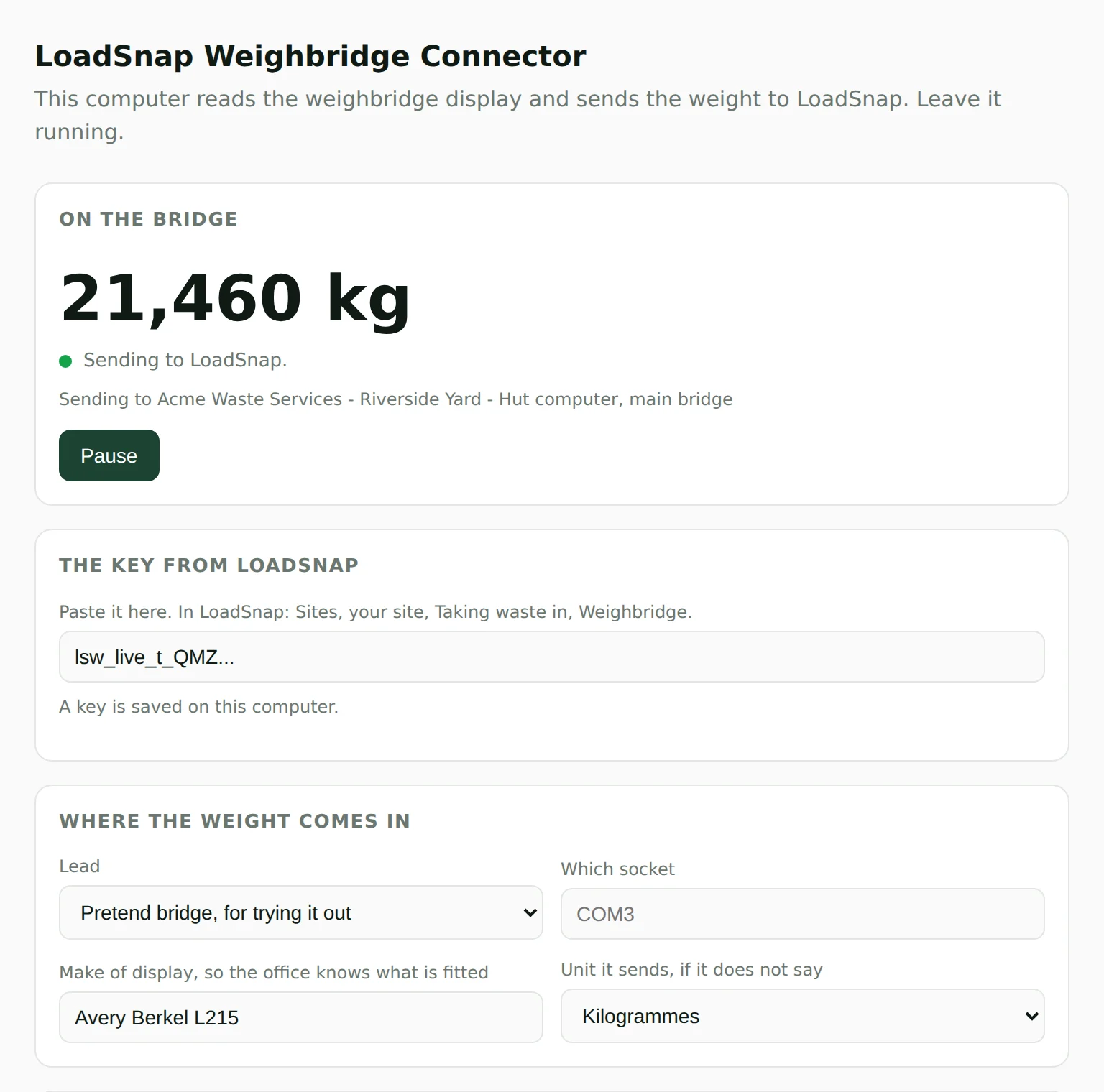
The whole setup is done at the weighbridge computer, on a page the program opens on that machine. Nobody needs to know what a serial port is.
1. Make a key in LoadSnap
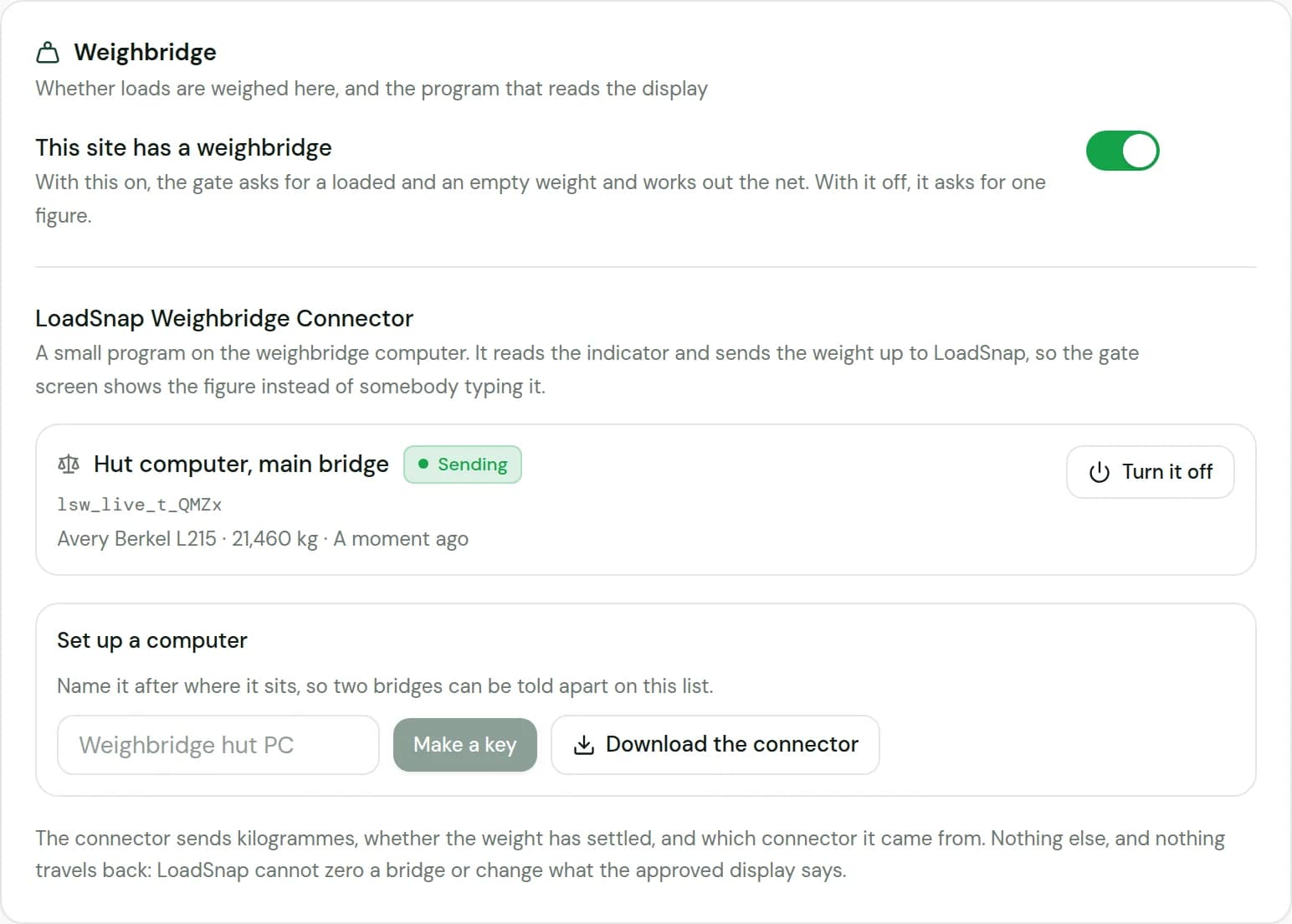
Your site, Taking waste in, Weighbridge, Make a key. One key per weighbridge computer, so a yard with two bridges can tell them apart.
2. Install the connector on that computer
Windows 10 and 11. It runs in the background and starts with the computer.
3. Paste the key in and choose the lead
A lead into the computer, or the indicator's address on the yard network. It lists what it can see.
4. Pick the figure
It shows the lines the display is sending and you pick the number that matches the indicator. That is the last step.
5. Watch it go green
The office sees the connector start sending, with the last weight it read, on the site's own page.
No weighbridge to hand
Try it before you wire anything up.
The connector has a pretend bridge built into it. Choose it instead of a lead and it plays a whole visit: the lorry driving on with the figure bouncing about, a settled loaded weight, off to tip, and back on empty. The gate screen behaves exactly as it will on the day the lead goes in, which is also the honest way to show it to somebody before they commit to anything.
Nothing to buy
It is in the program. Pick it from the same list as a real lead.
A real weighing
Bouncing figures, a settle, and two passes, so you see what the clerk will see.
Then swap the lead in
The same connector, the same key. Change the one setting when the bridge is ready.
What we can and cannot see
Kilogrammes. That is the lot.
A weighbridge does not know whose lorry is on it, and neither does this. It sends the weight, whether it has settled, and which connector it came from. Identity comes from LoadSnap, the transfer note and the person at the window, as it does now.
No registration, no carrier, no waste code
The indicator has never known them, and the connector does not ask for them.
It cannot act on the bridge
Reading only. The reply to a reading says whether the key is still valid and nothing else.
Turn one off from the office
Turning a connector off in LoadSnap stops it, wherever that computer is.
Your photos still stand
The picture of the ticket and the display stays on the record, for anybody who wants the bridge's own word for it.
Questions
Weighbridge questions, answered.
01Do I have to buy anything for the weighbridge?
02Which weighbridges does it work with?
03Does it handle the empty weight?
04What if the computer is off, or the lead falls out?
05Can LoadSnap control the weighbridge?
06What does it send us?
07How do we try it before wiring anything up?
08Does the driver get a ticket?
09Does it do loads going out as well as loads coming in?
10Do we have to replace the software on the weighbridge computer?
11Is there a cost?
On the DEFRA DWT Beta
The mandate is coming.
Get compliant now.
Start for free. Get started in minutes. No credit card. Build your digital audit trail today, before the deadline forces it.
DEFRA API integrated · EA carrier verification · UK data residency