Know what is on every yard.
Without a stock take.
Every load booked in or sent out moves the figures for you, by waste code and by tonne, so you always know what is standing there and how close you are to your permit.
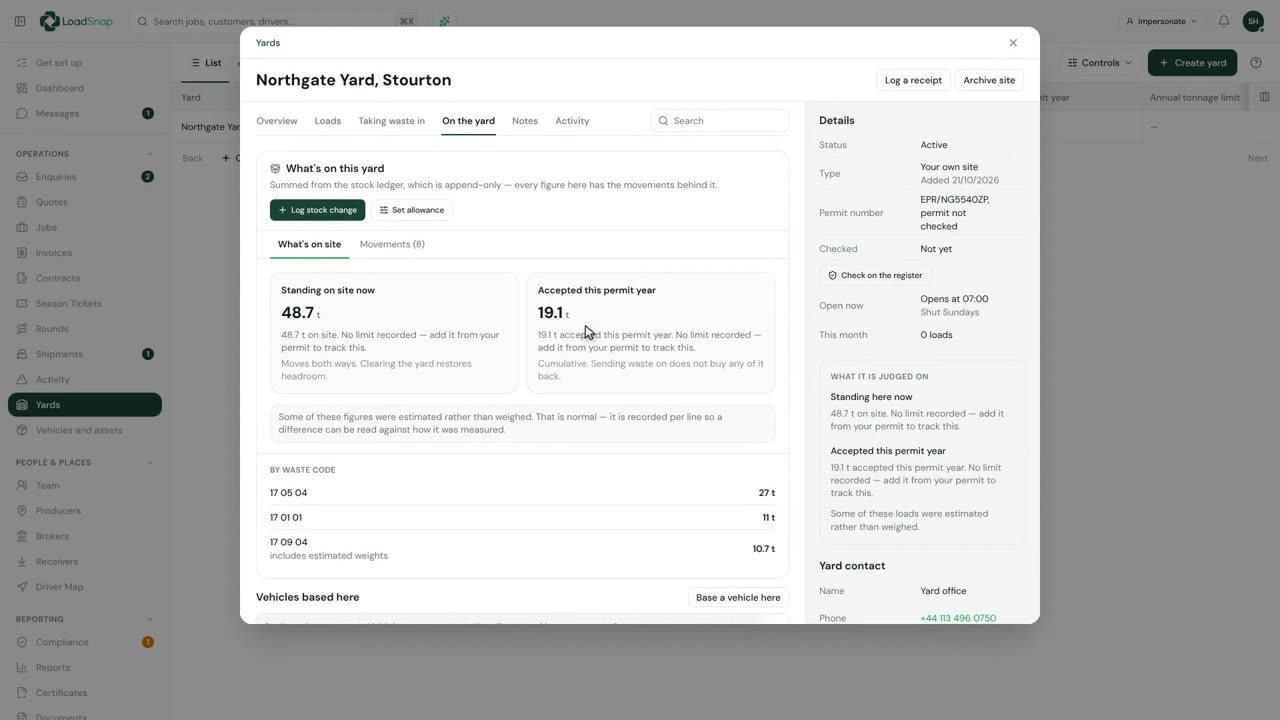
See what is standing there right now.
Open a yard and you see the tonnes on site, split by waste code, with how long anything has been parked. No clipboard walk round the bays.
Yards
Northgate Yard, Stourton
On site now
48.7 t
Taken in this year
19.1 t
By waste code
Stay inside your permit.
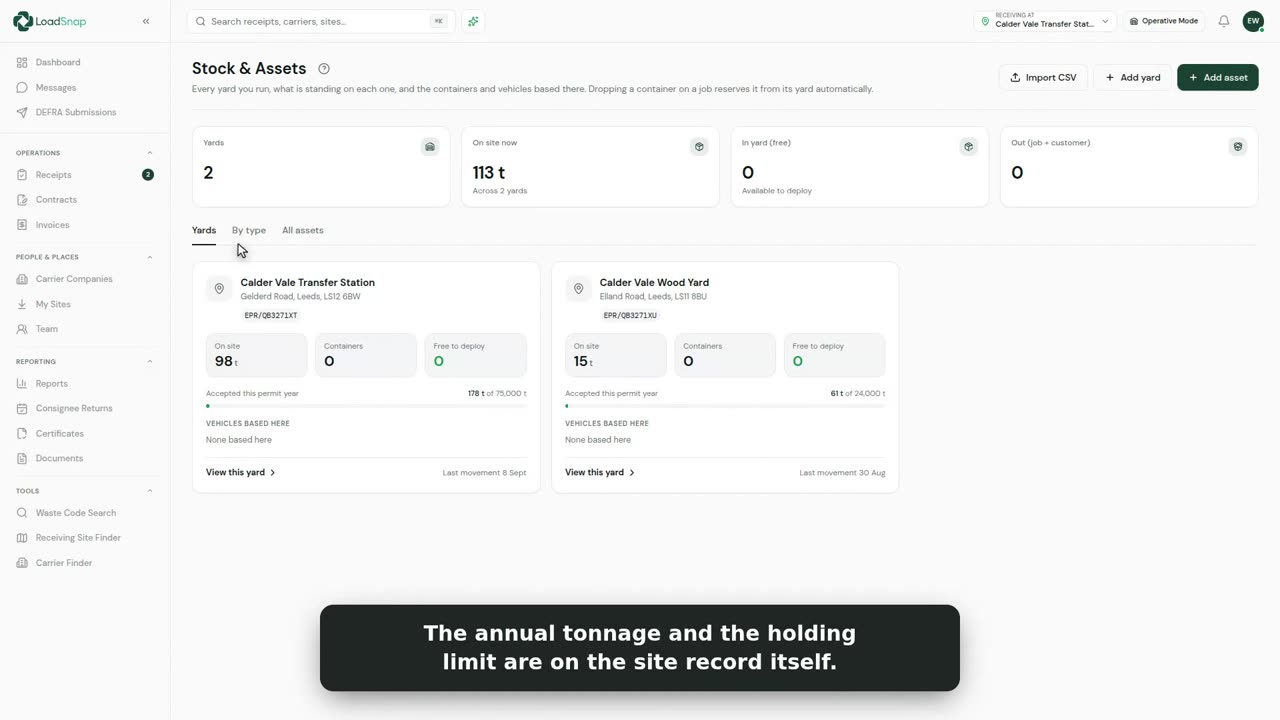
Each yard shows how close it is to both limits: what can be on site at once, and what can come in this permit year. You see the headroom before you take the load, not after.
Permit limits
Calder Vale Transfer Station
Holding limit, at any one time
Yearly allowance, from April
Every tonne has a load behind it.
The figures come from the movements, so you can always show where a number came from. Estimated weights are marked, so nobody mistakes a guess for the bridge.
Northgate Yard, Stourton
Movements
- 21 OctSent out, 17 05 04−26 tWeighed
- 20 OctTaken in, 17 09 04+2.1 tEstimated
- 20 OctTaken in, 17 05 04+12 tWeighed
- 19 OctTaken in, 17 01 01+5 tWeighed
Also on every yard.
Stock across all your yards
One line per waste code, added up across every site you run.
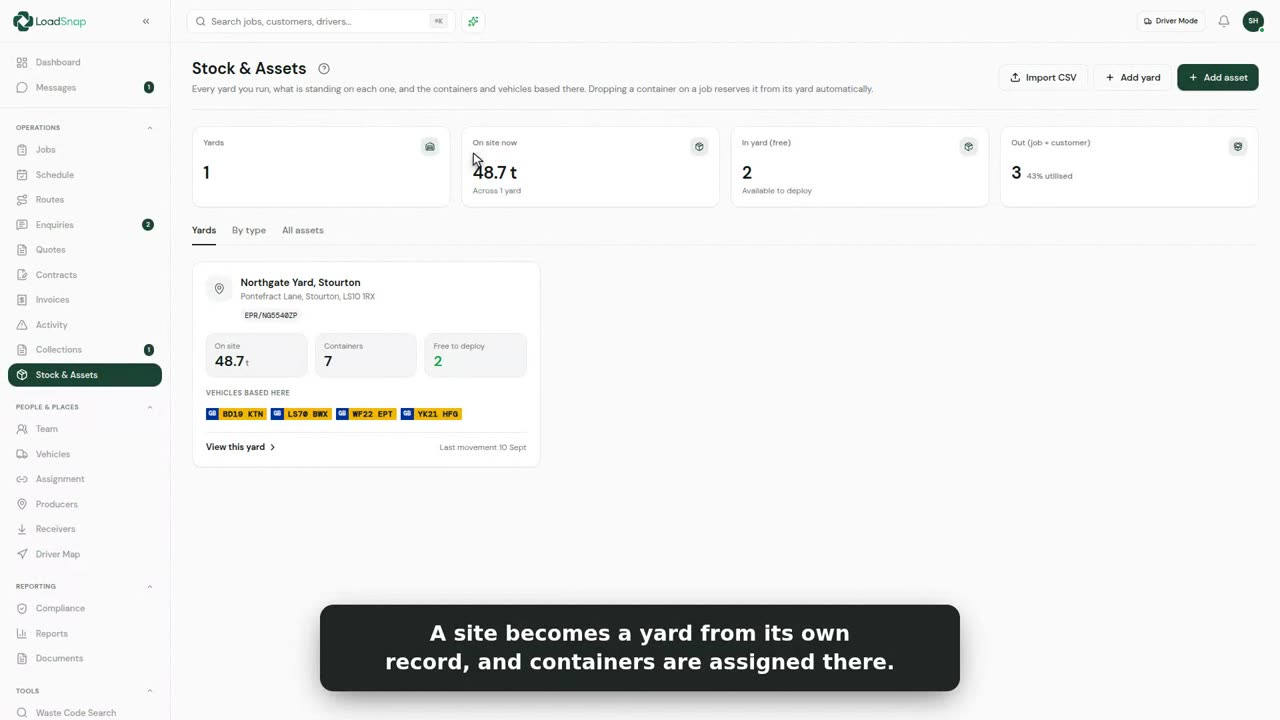
Every yard on the map
With the vehicles, skips and equipment based at each one.
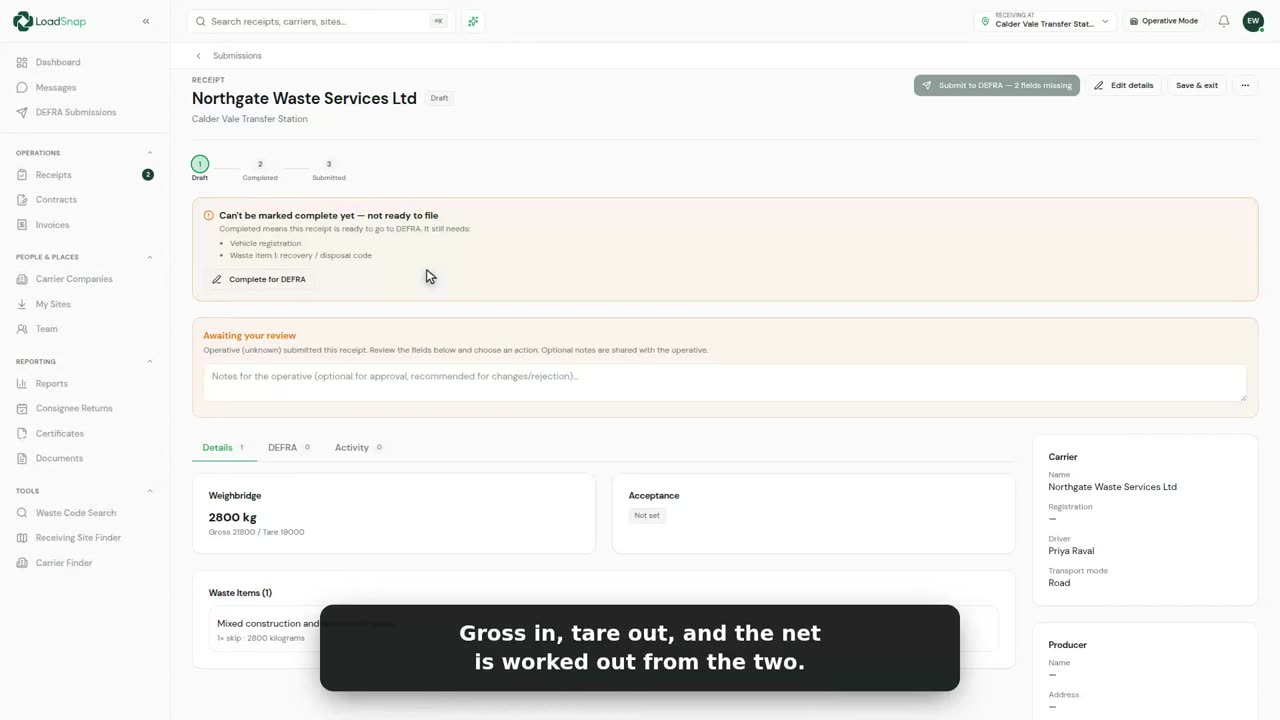
Weights from your bridge
Connect the weighbridge and weights in, out and net come straight across.
Questions
Good to know.
01Do I add up the stock by hand?
02Does it read my weighbridge?
03What is the permit year?
Digital waste tracking is live
The mandate is here.
Automate compliance.
Receiving sites in England and Wales have had to record every load digitally since 1 October 2026. Start a 14-day free trial in minutes, cancel any time before it ends, and file every load from day one.
DEFRA API integrated · EA carrier verification · UK data residency